¶ Calibration & Software Guide
This guide covers software installation, machine connection, and tool calibration for precise CNC operation.
¶ Software Installation
¶ Installing USB Drivers
- Driver Name:
CH341SER.EXE - Location: Please search in your browser for
CH340SERor theofficial CH340 website.
Note:
- Failure to install the correct driver may prevent the computer from communicating with the device.
- Please note that driver files for Windows and macOS are different and are not interchangeable.
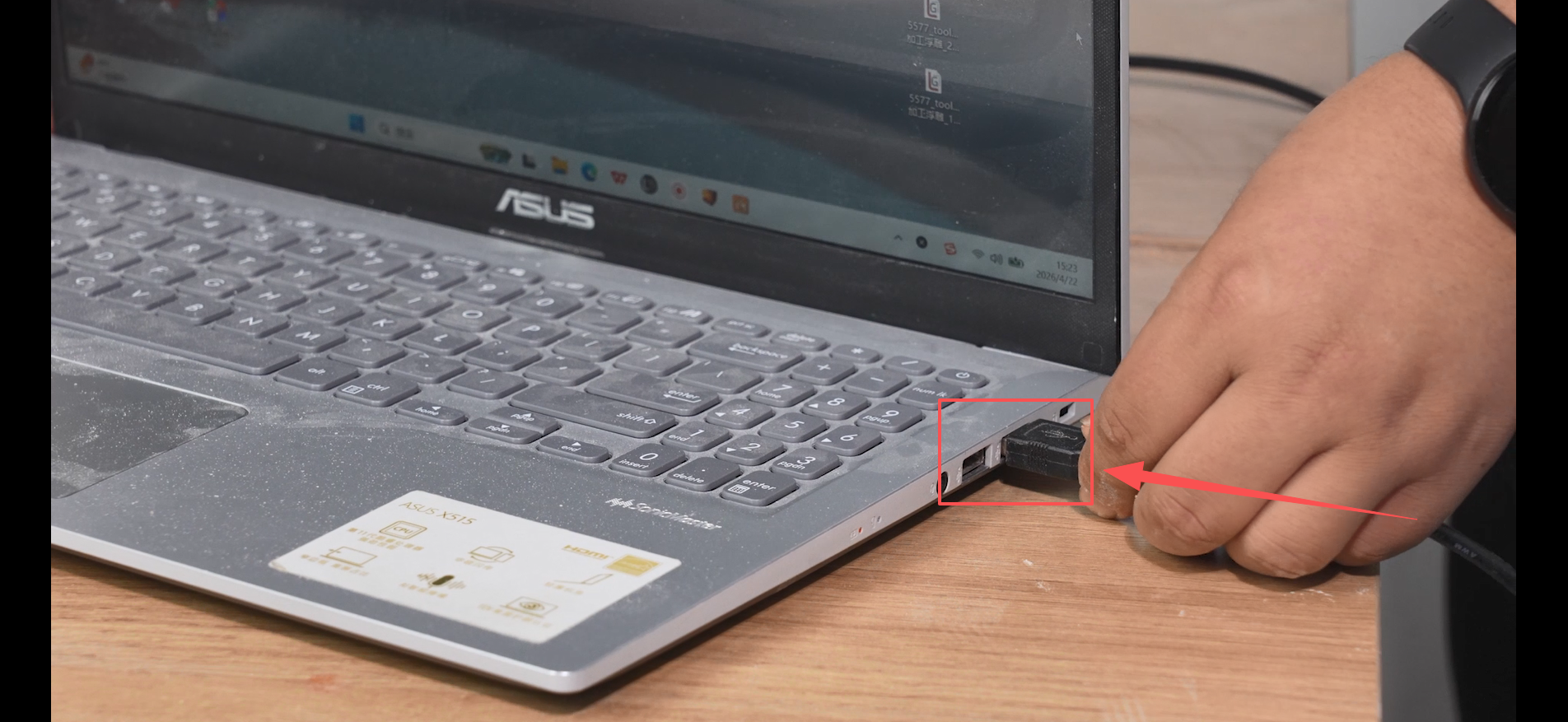
¶ Connecting the Machine to the Computer
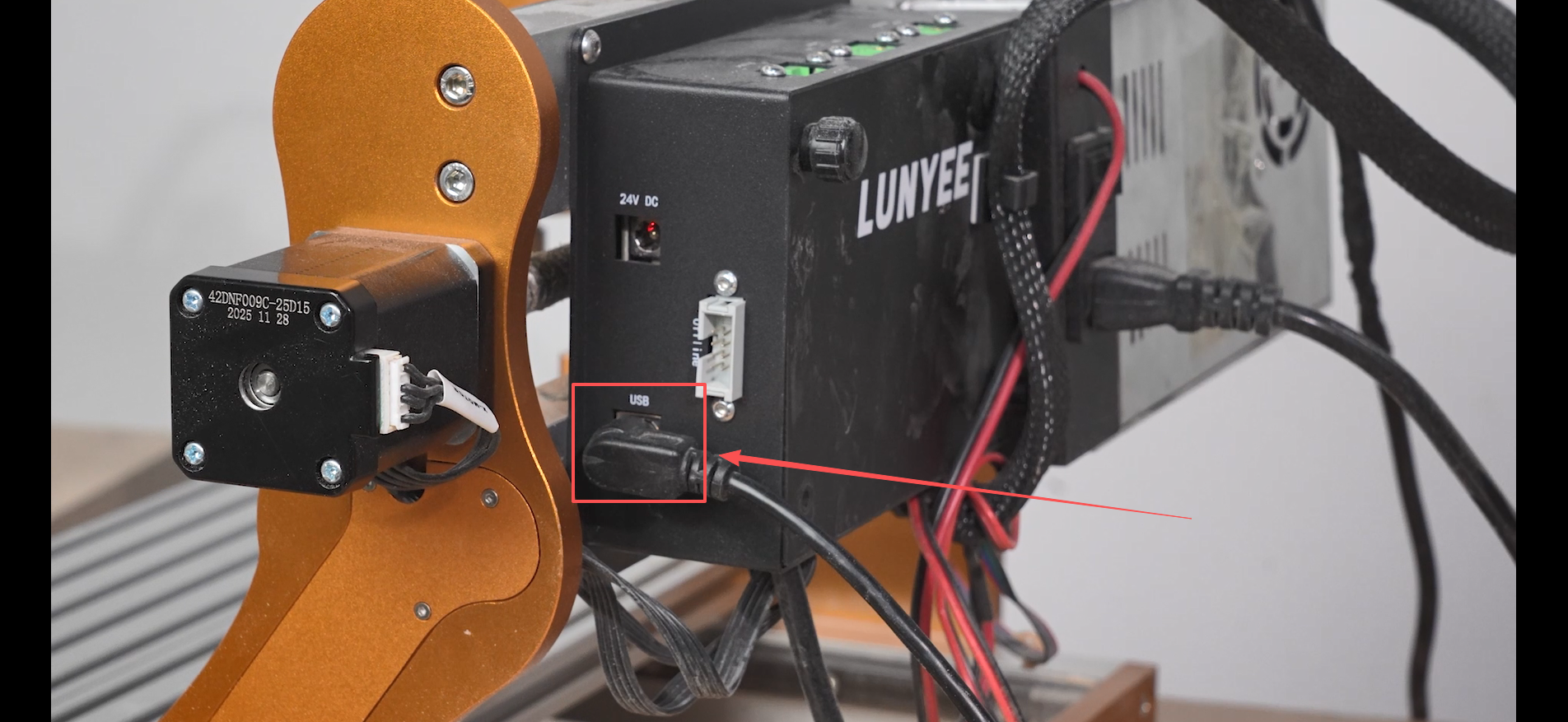
- Follow the included connection diagram.
¶ Easel
¶ Connecting the Software
- Click the second tool at the top-left corner of the software.
- Open the dropdown settings menu.
- Select the corresponding COM port and ensure the baud rate is set to 115200 to connect the machine successfully.
¶ Software Functions
- Home: Returns the machine to the mechanical origin (do not click if the machine has no limit switches).
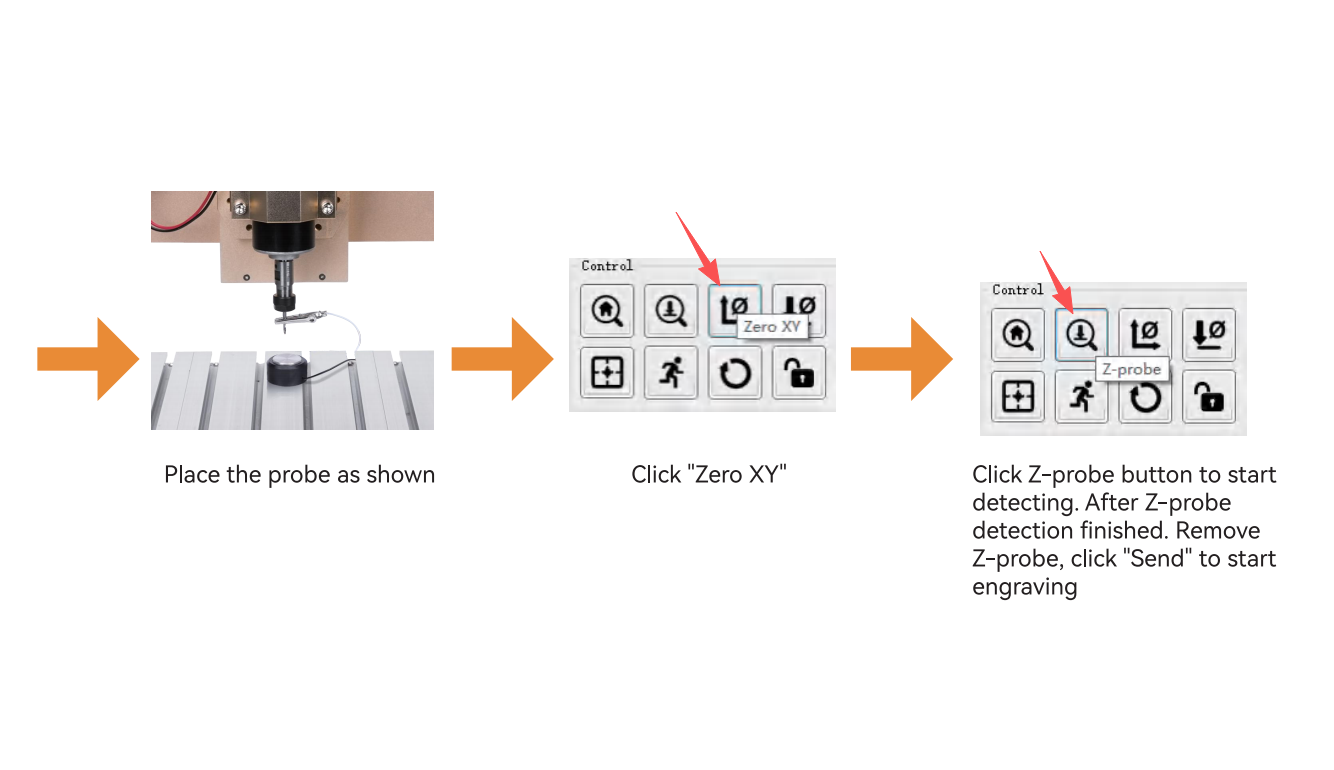
- Probe: Used for tool calibration. Click after installing the tool setter to calibrate the Z-axis. Do not click without the tool setter installed to avoid damage.
- XY Zero: Sets the current position as the work origin after calibration.
- Z Zero: Manually set the Z-axis zero. Useful when not using the tool setter.
- Reset Origin: Quickly relocates the work origin.
- Safe Height: Usually not used.
- Reset Motion: Stops movement during travel.
- Unlock: Unlocks the motors. After homing, use it to manually rotate handwheels to move axes.
¶ UGS
¶ Software Connection
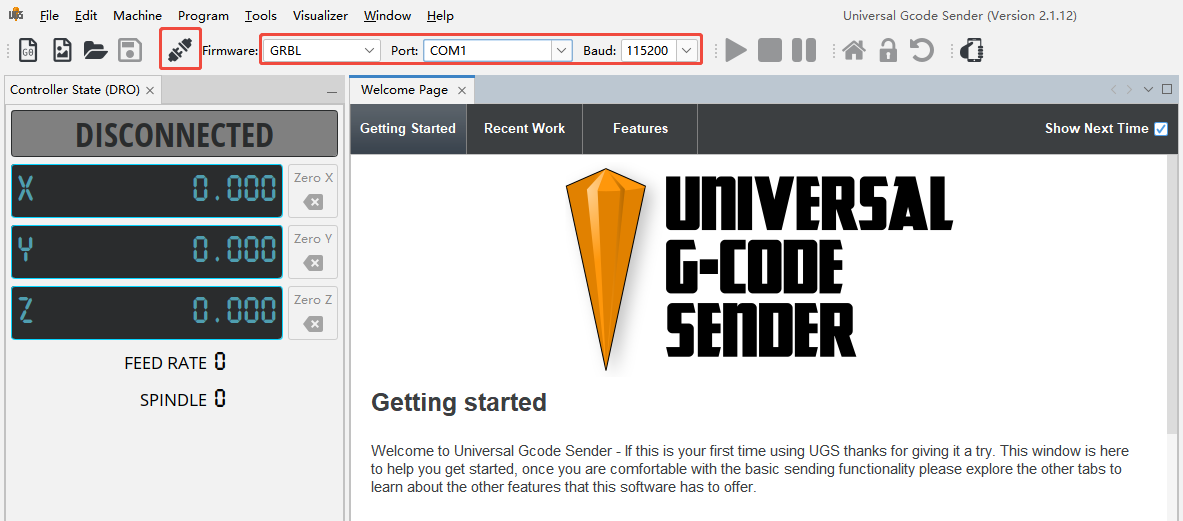
- Connect the machine to the computer via a USB cable. In UGS, select Firmware > GRBL, choose the correct COM port, set the baud rate to 115200, and then click Connect.
¶ Software Functions
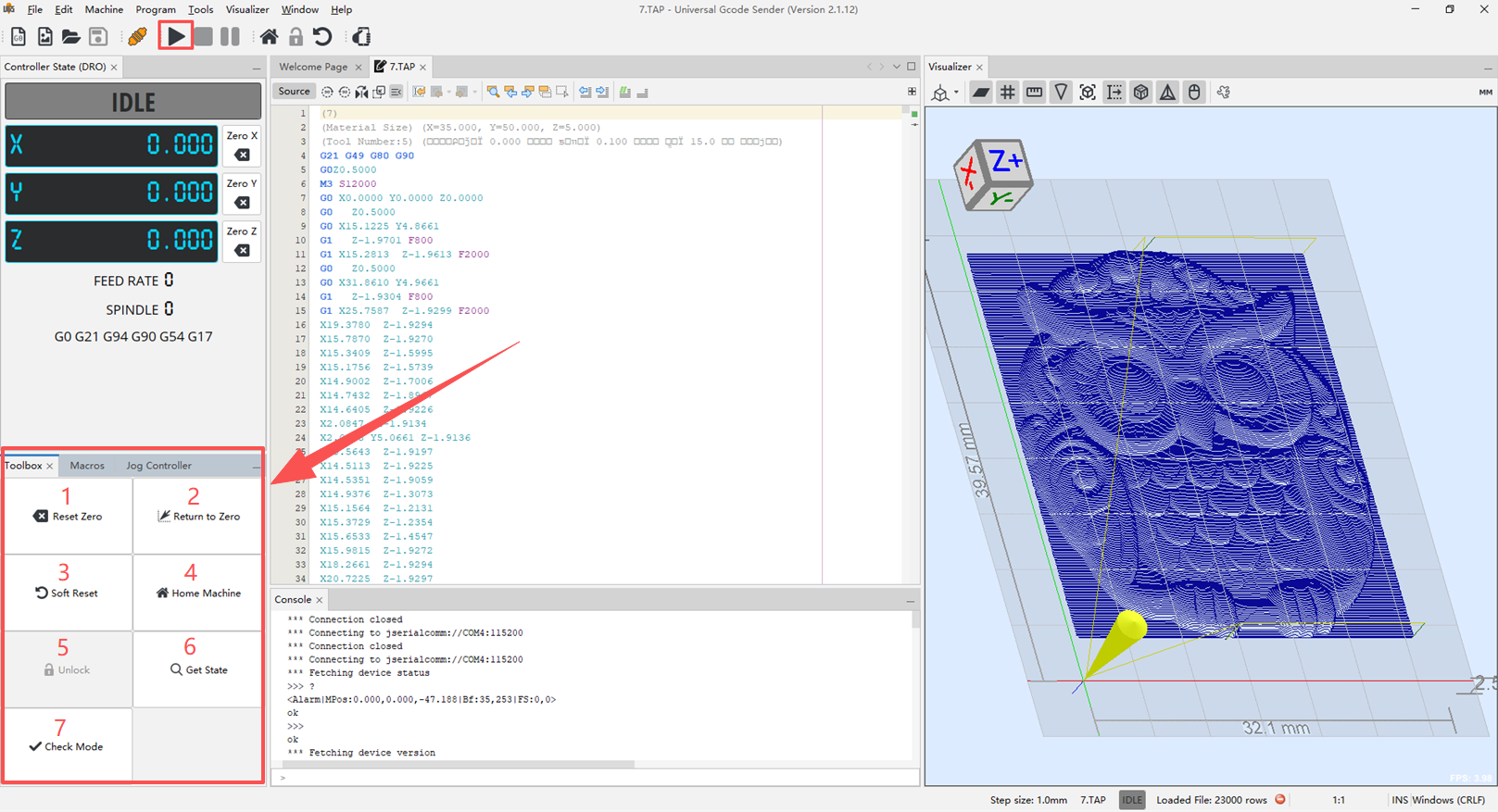
- Home: Returns the machine to its mechanical origin (do not use this function on machines without limit switches).
- Reset Zero (XY Zero): After tool setting is completed, this function can be used to zero the XY coordinates and set the current position as the work origin.
Z Zero: Manually resets the Z-axis coordinate. This can be used for manual tool setting when a touch probe is not used. - Return to Zero: Moves the machine back to the previously set work origin.
- Soft Reset: Stops the current operation or interrupts an abnormal state.
- Unlock: Unlocks the motors. After homing, this allows manual movement of the axes and restores the machine to a movable state.
- Get State: Reads and refreshes the current machine status information.
- Check Mode: Used to verify G-code without actually driving the machine motion.
- Probe: Used for tool setting. After installing the touch probe, click this function to calibrate the Z-axis coordinate. Do not use without the probe installed to avoid machine damage.
¶ Control Interface
- Spindle Switch: Located at the position indicated by the arrow.
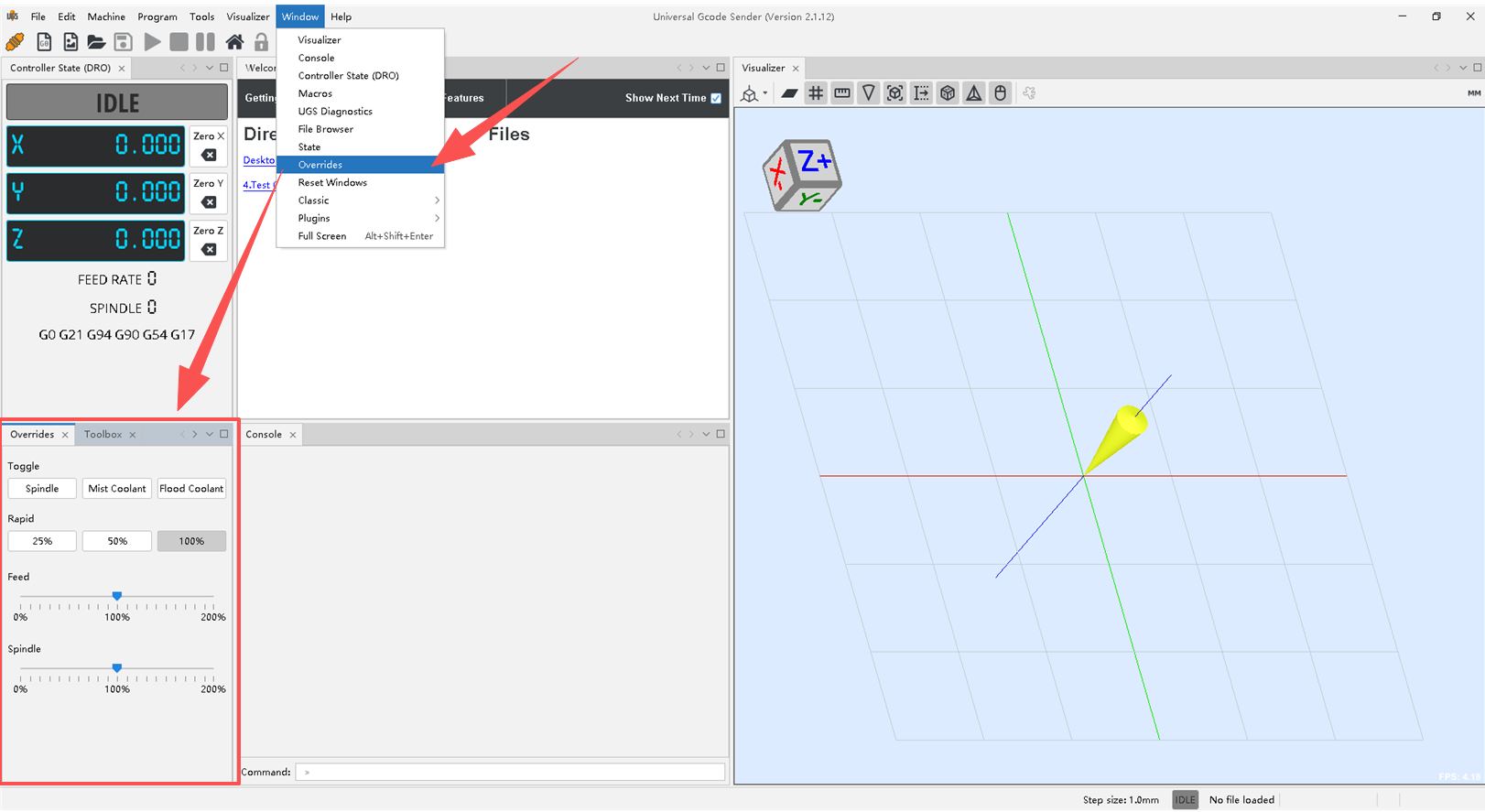
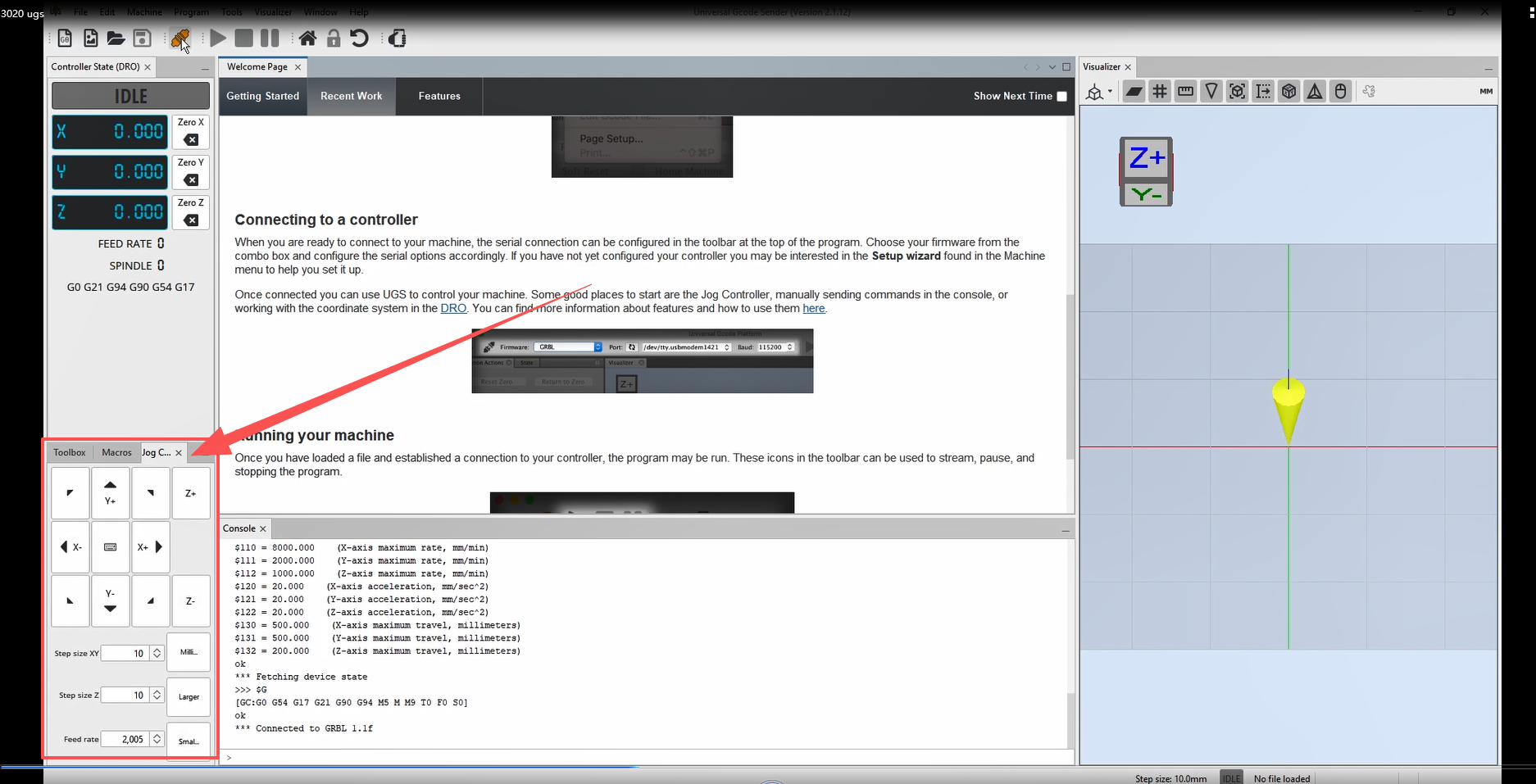
- Axis Controls: Directional keys are enclosed in the red frame.
¶ Candle
¶ Software Connection
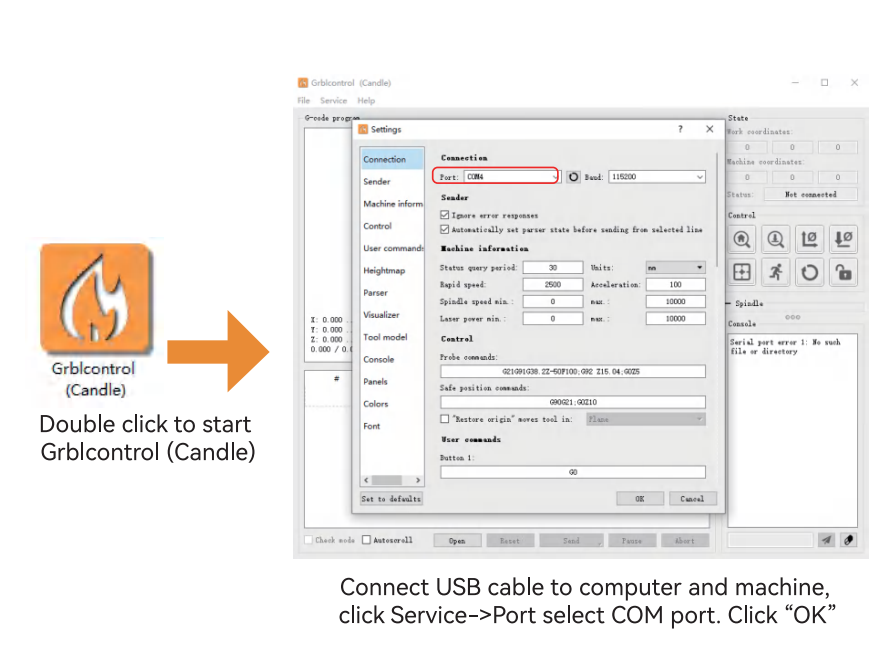
- Click the second tool at the top-left corner of the software.
- Open the settings from the dropdown menu.
- In the settings, select the correct COM port for your machine and ensure the baud rate is set to 115200. This will connect the machine to the software.
¶ Software Functions
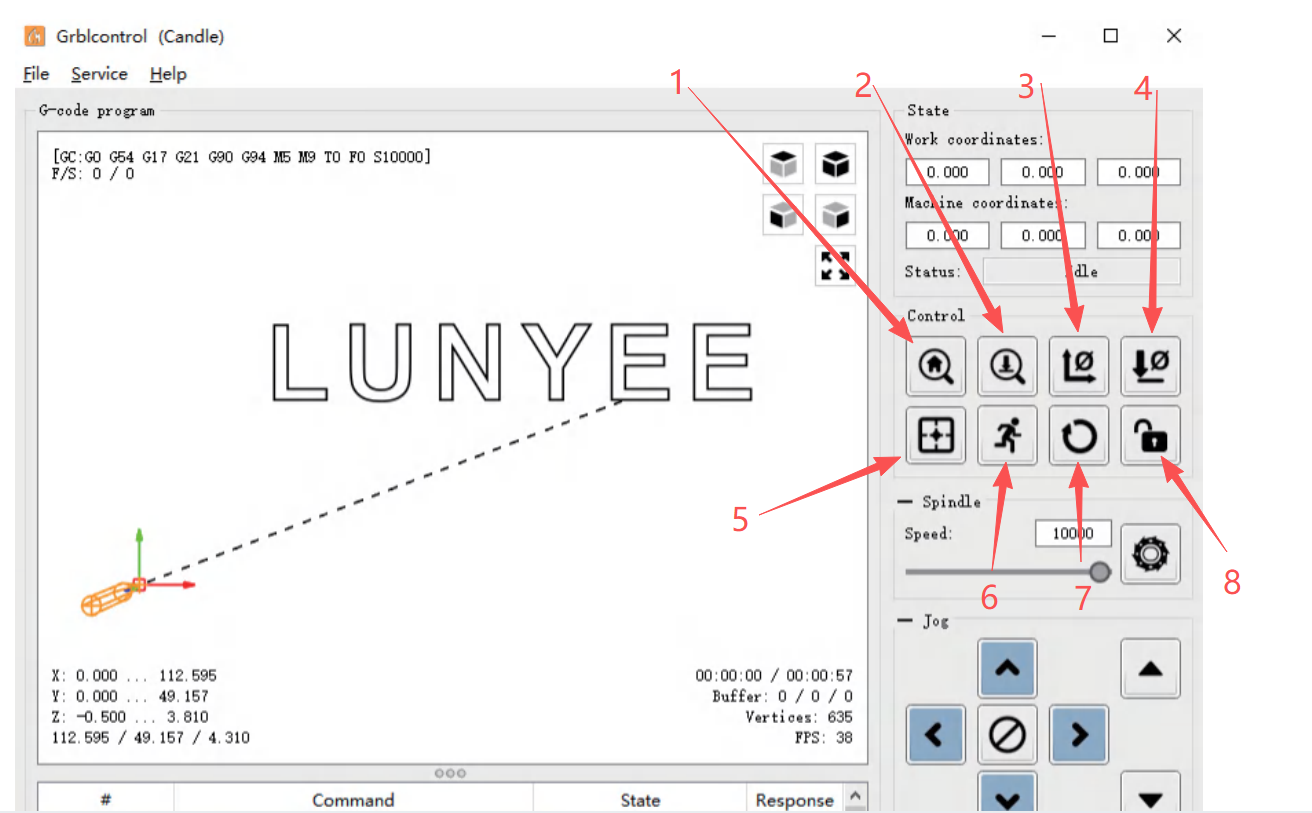
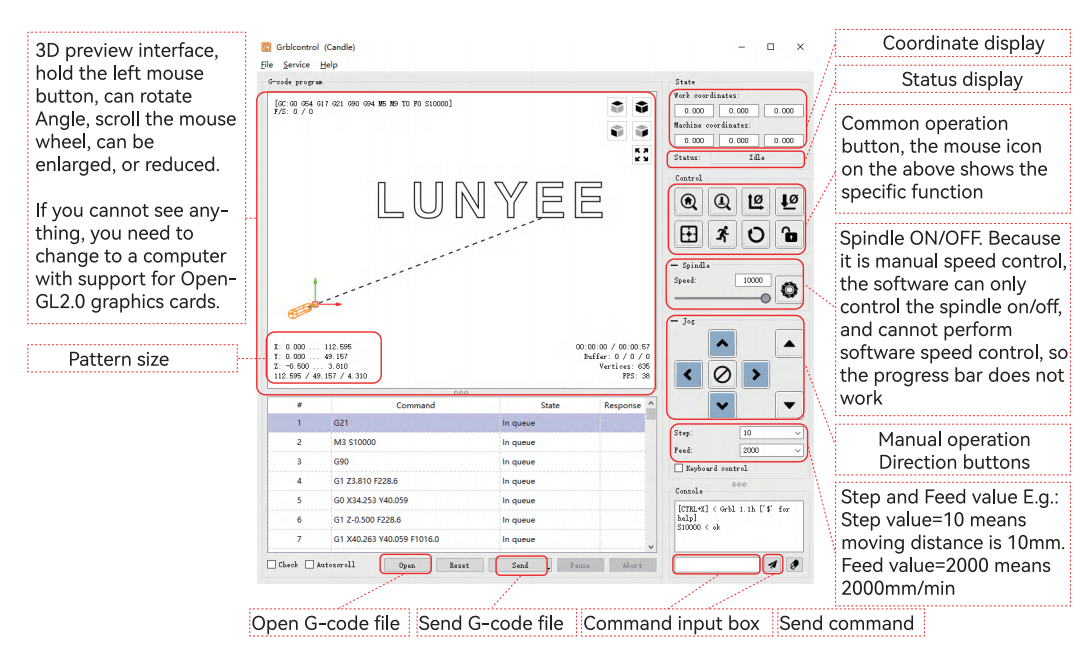
- Home: Returns the machine to its mechanical origin (do not use on machines without limit switches).
- Probe: Used for tool setting. After installing the touch probe, click this button to calibrate the Z-axis. Do not click without the probe installed to avoid damage to the machine.
- XY Zero: After tool setting, use this to zero the XY coordinates and set the current position as the work origin.
- Z Zero: Manually zero the Z-axis coordinate; useful for manual tool setting when not using the touch probe.
- Reset Origin: Quickly repositions the machine to the work origin.
- Safe Height: Usually not used; no operation required.
- Reset Motion: Stops machine movement during motion.
- Unlock: Unlocks the motors. After homing, allows manual rotation of handwheels to move the axes.
¶ Control Interface
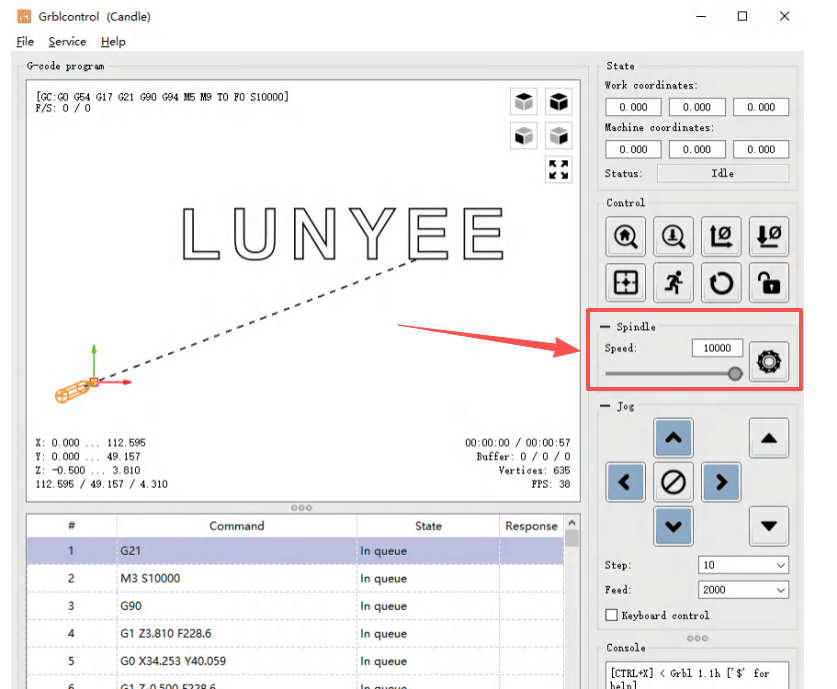
- The arrow indicates the spindle power switch.
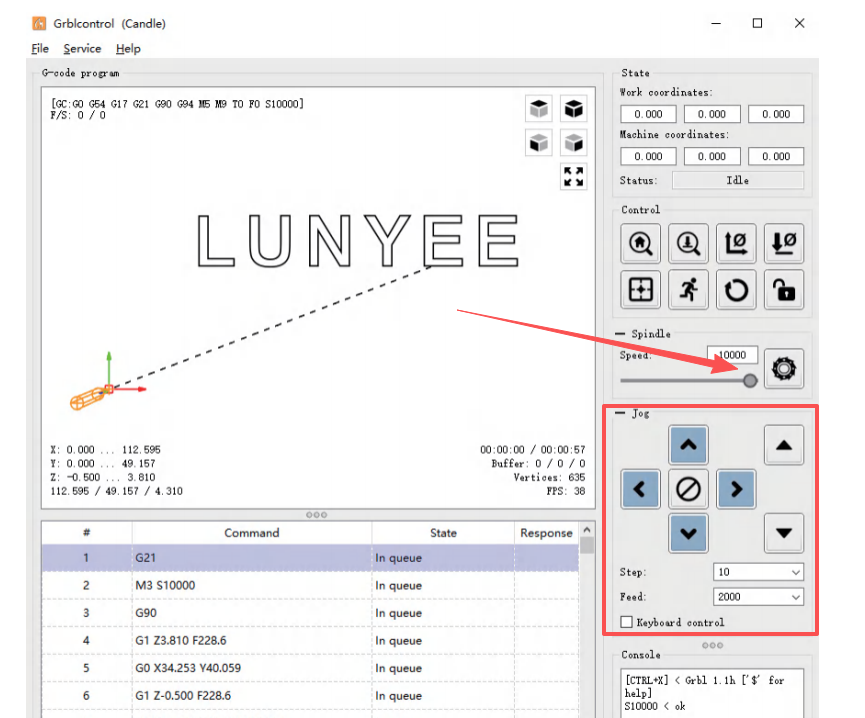
- The red box highlights the directional keys for moving the machine’s axes.
¶ Tool Length Calibration
¶ Easel
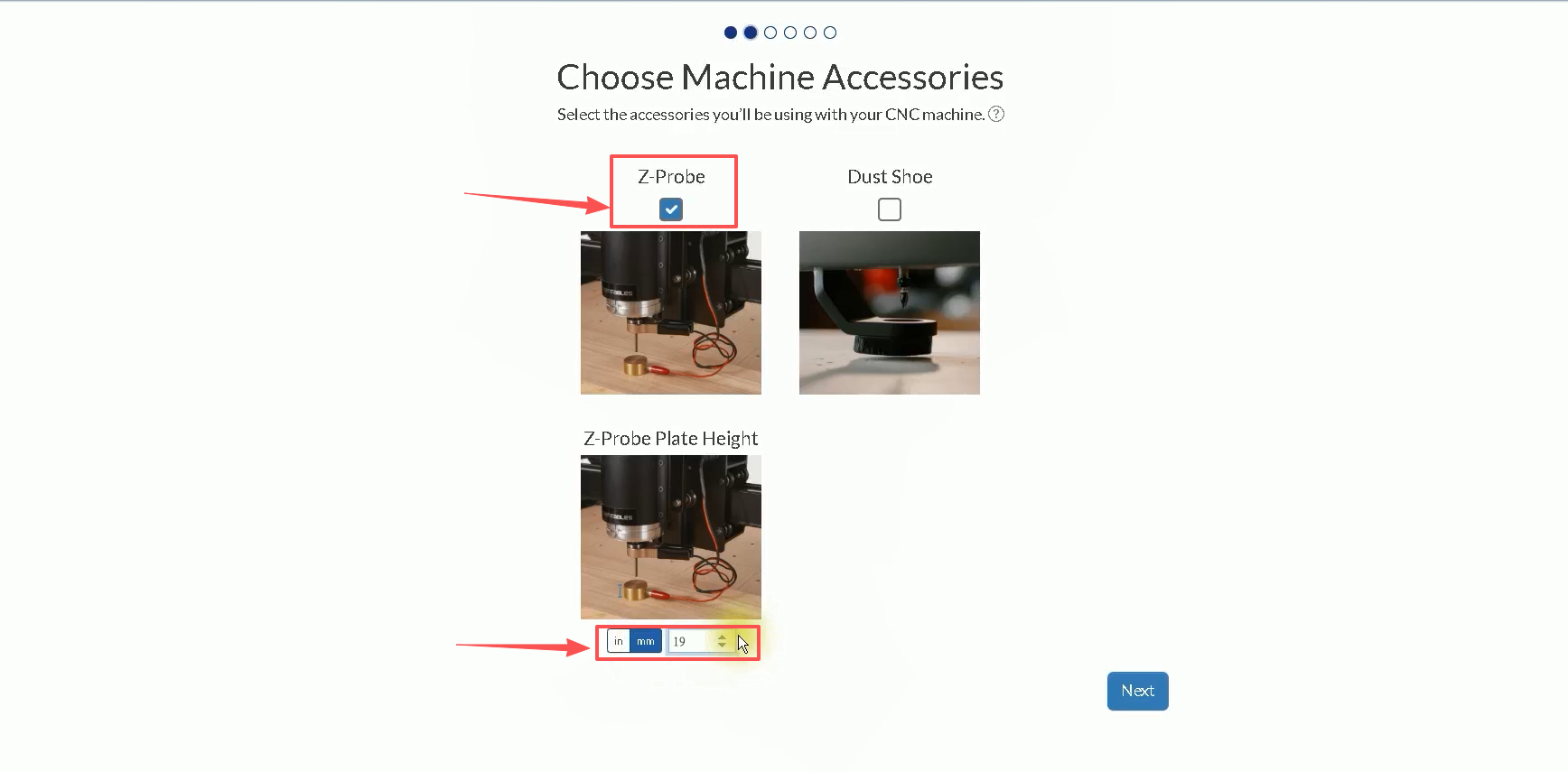
- During the initial machine setup, navigate to:
Choose Machine Accessories → Z Probe → Z Probe Plate Height, then set the probe plate height to 19 mm.
If there is any deviation in tool height calibration, the thickness value can be adjusted here.
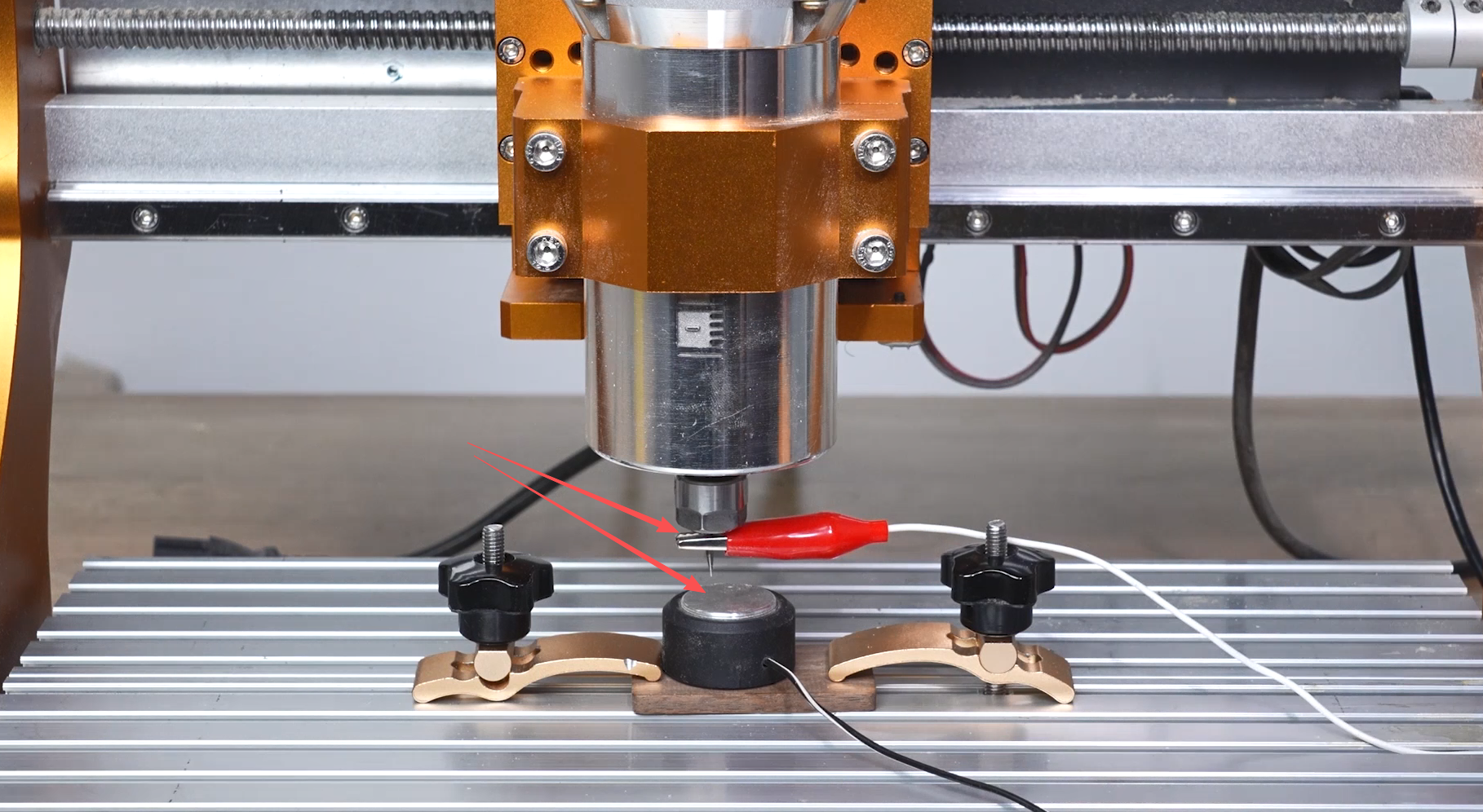
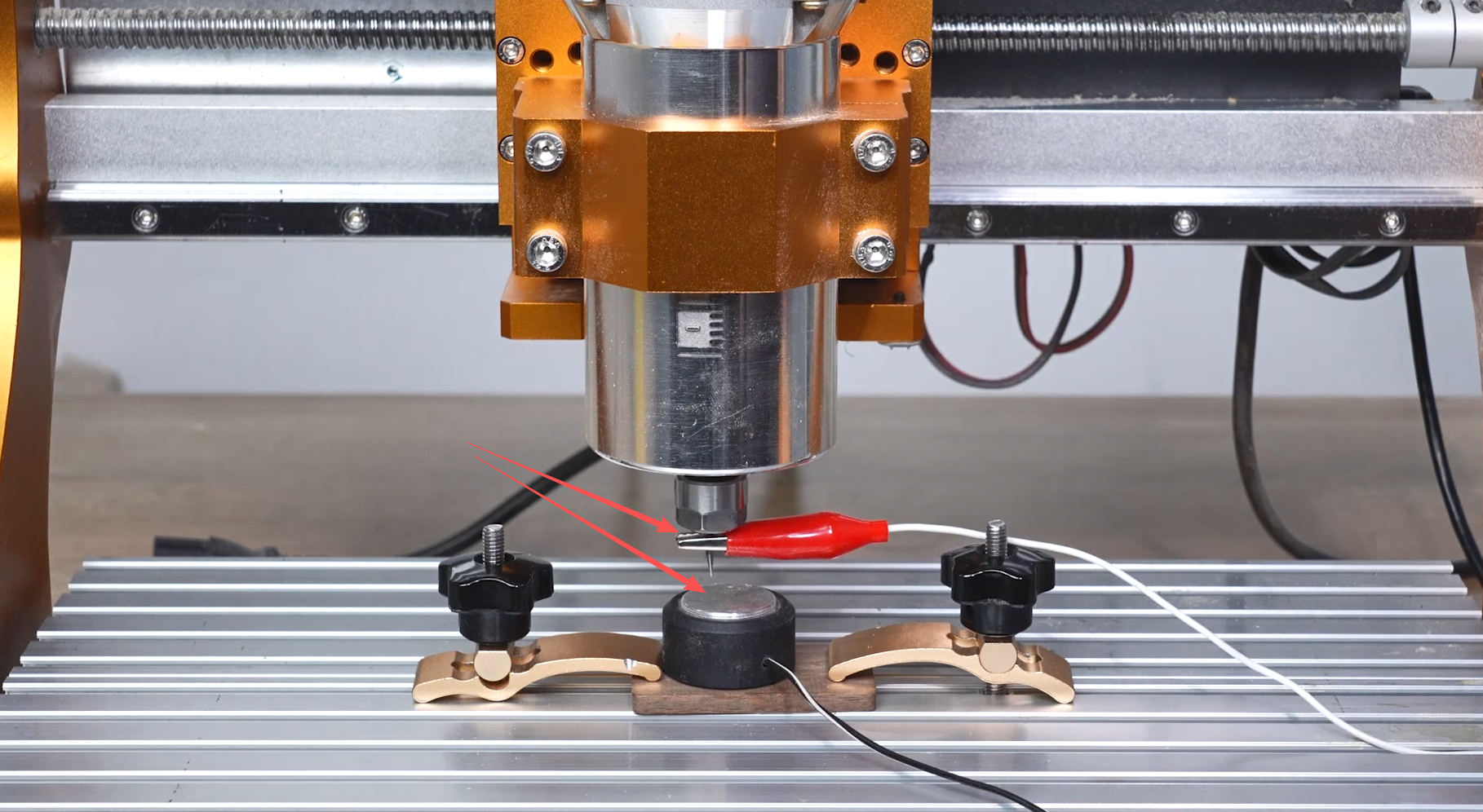
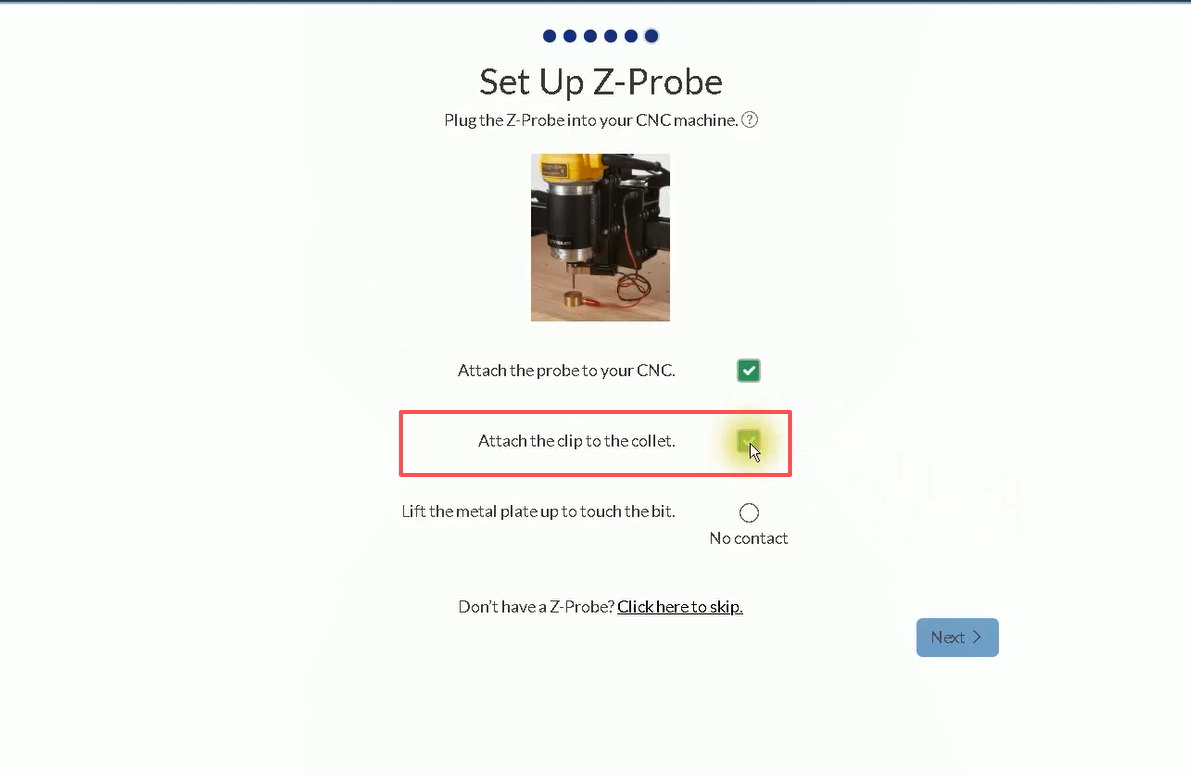
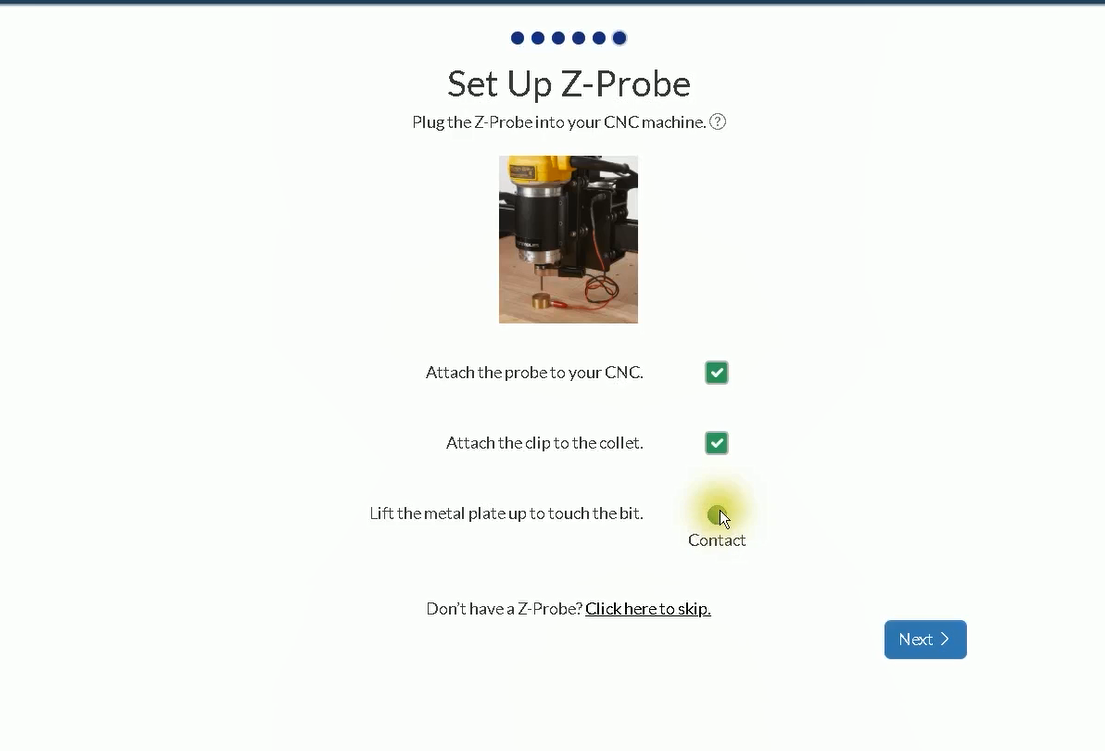
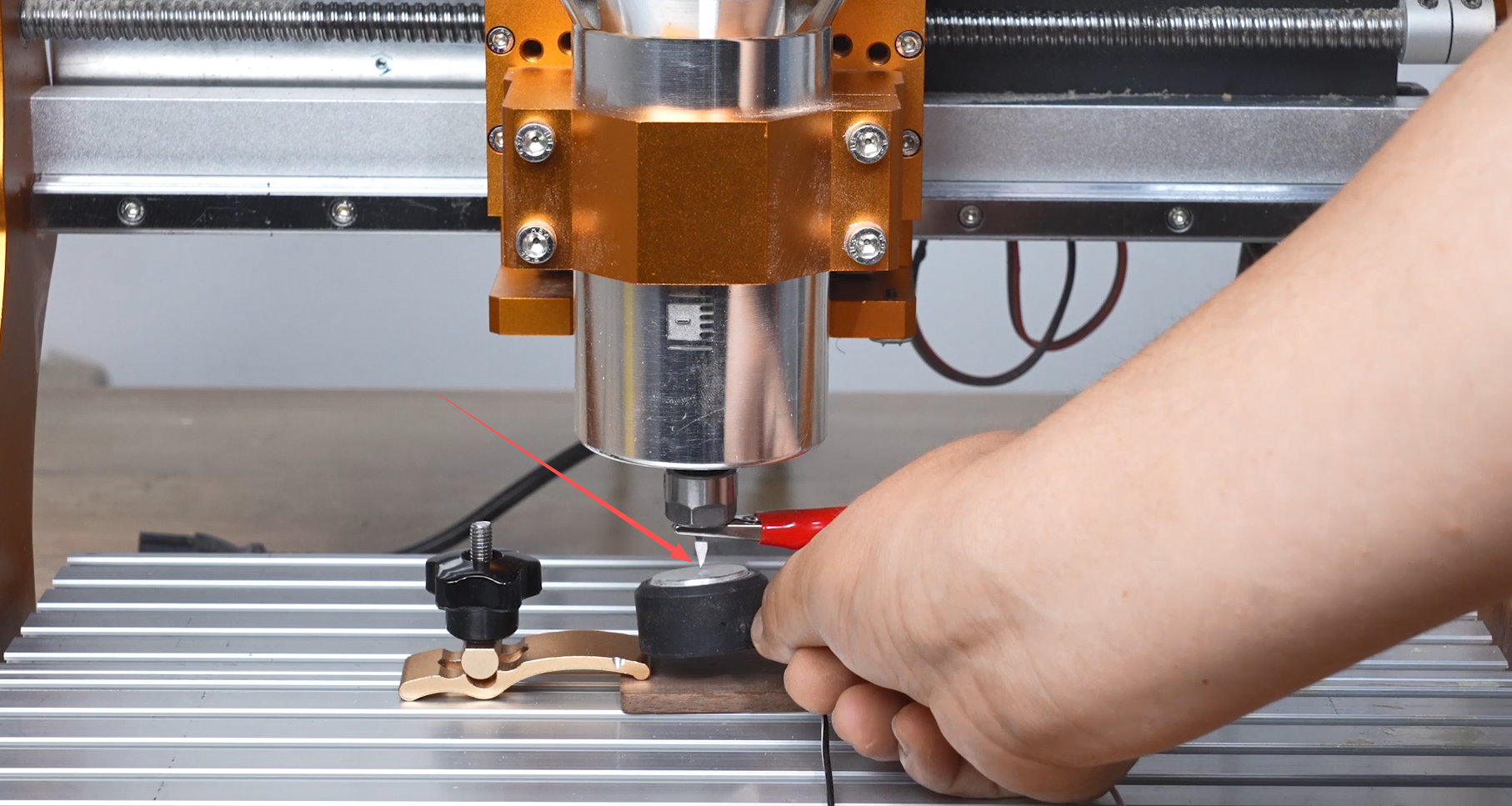
- Connect the Z probe according to the on-screen instructions. Attach the alligator clip to the cutting tool, then touch the probe plate against the tool to verify that the Z-axis probe connection is functioning correctly.
¶ Video Tutorial
¶ UGS
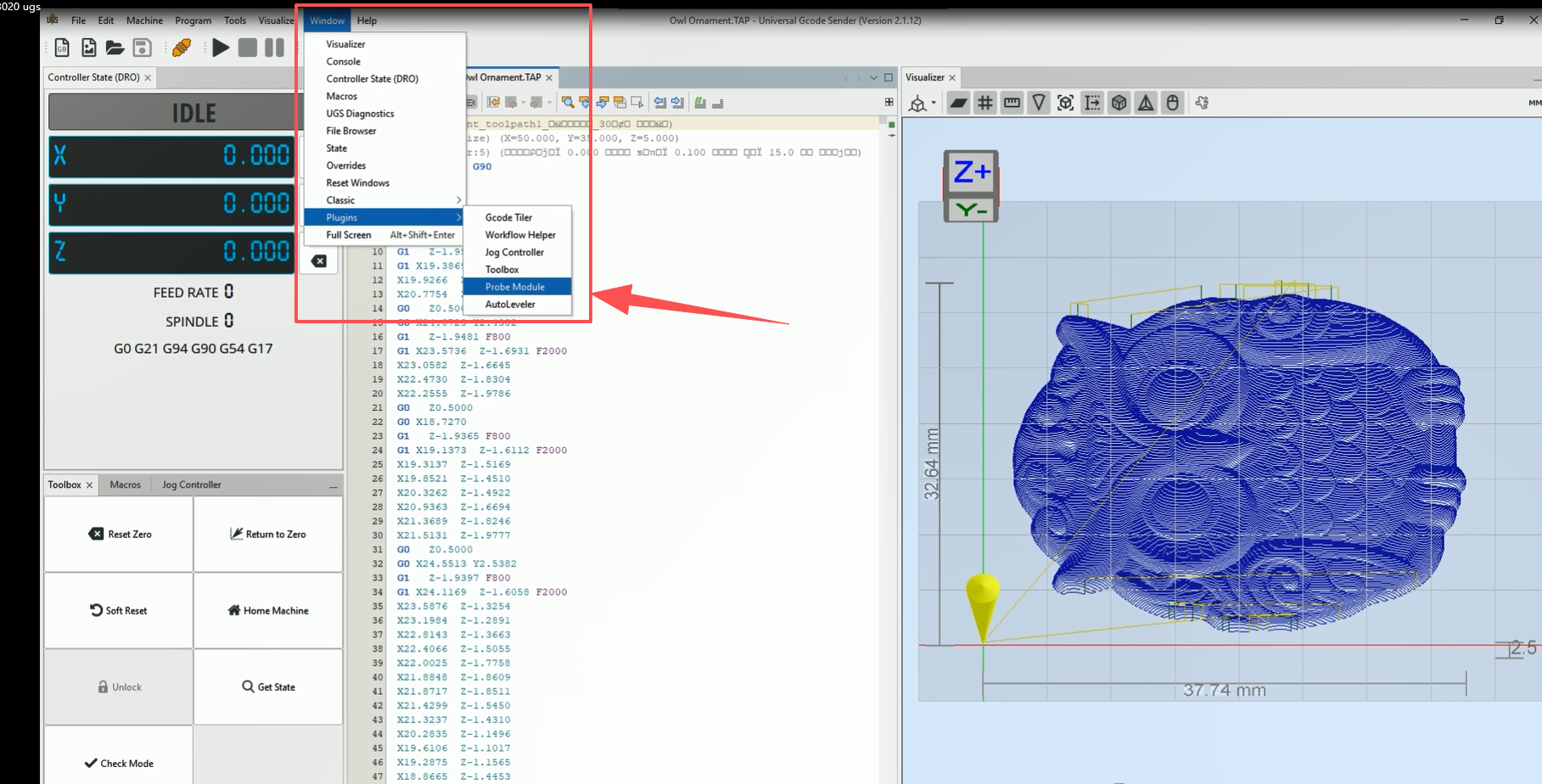
- Open:
Window → Plugins → Probe Module
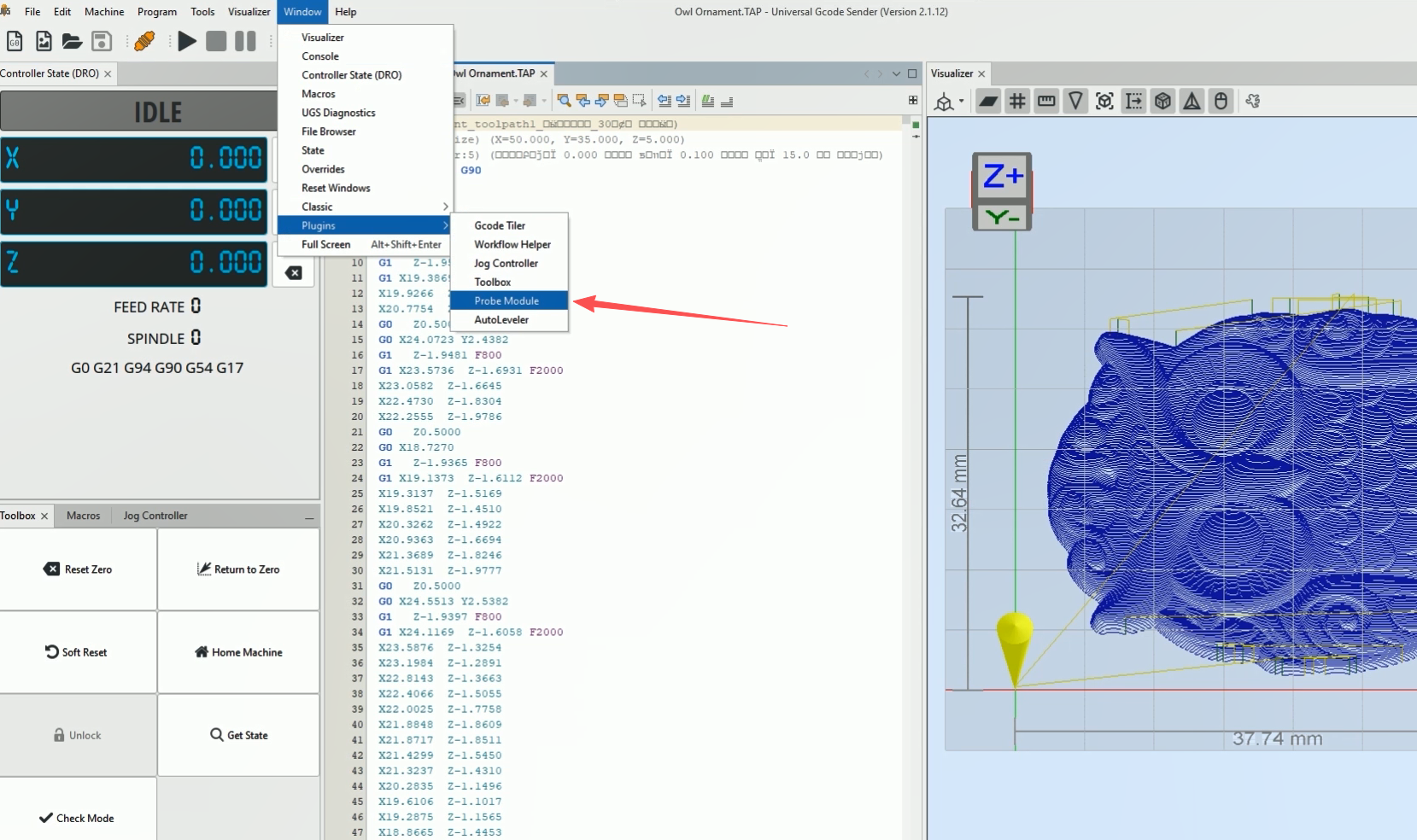
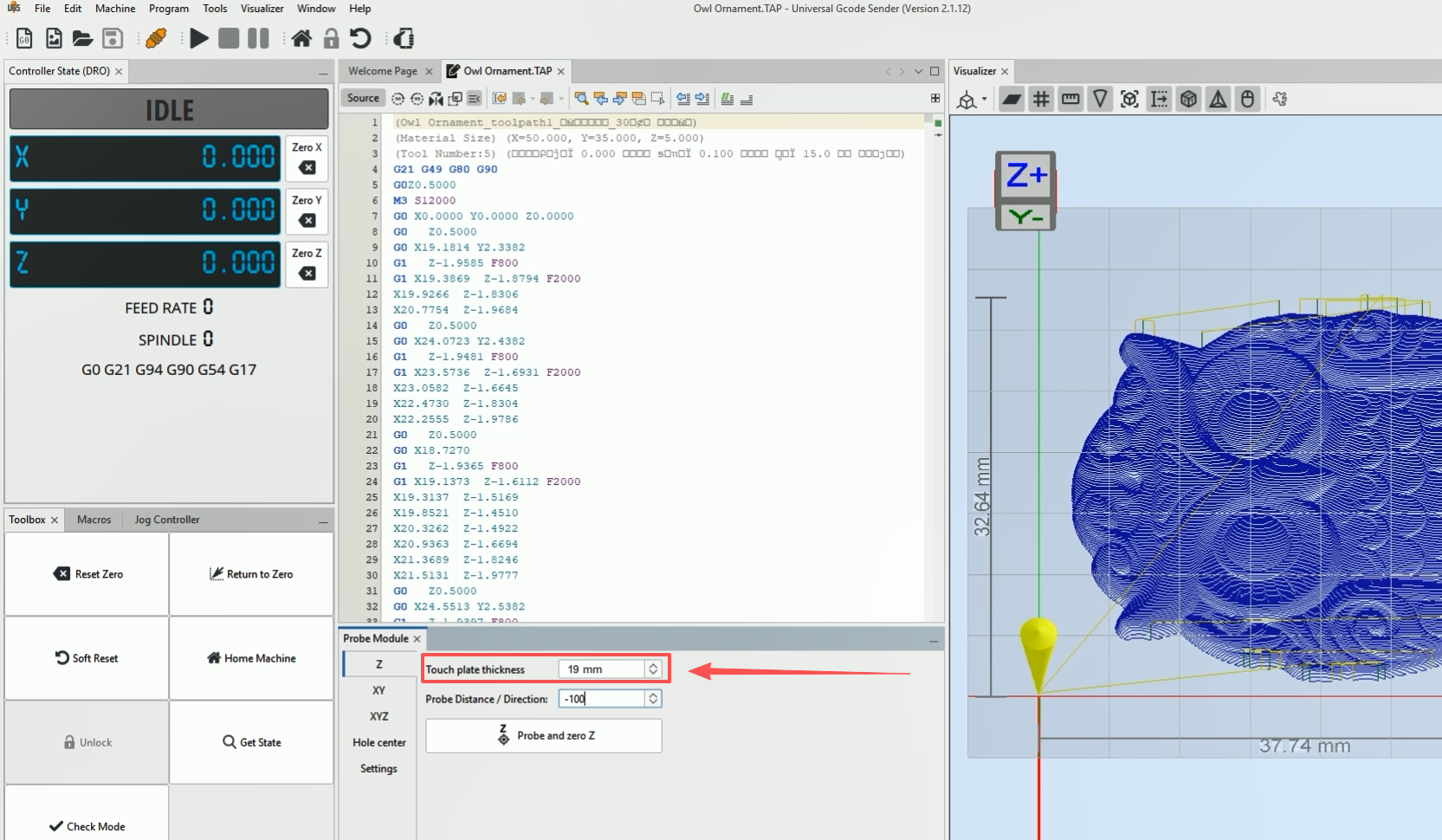
- Set the Z-axis probe plate thickness to 19 mm.
If there is any deviation in tool height calibration, the thickness value can be adjusted accordingly.
¶ Video Tutorial
¶ Candle
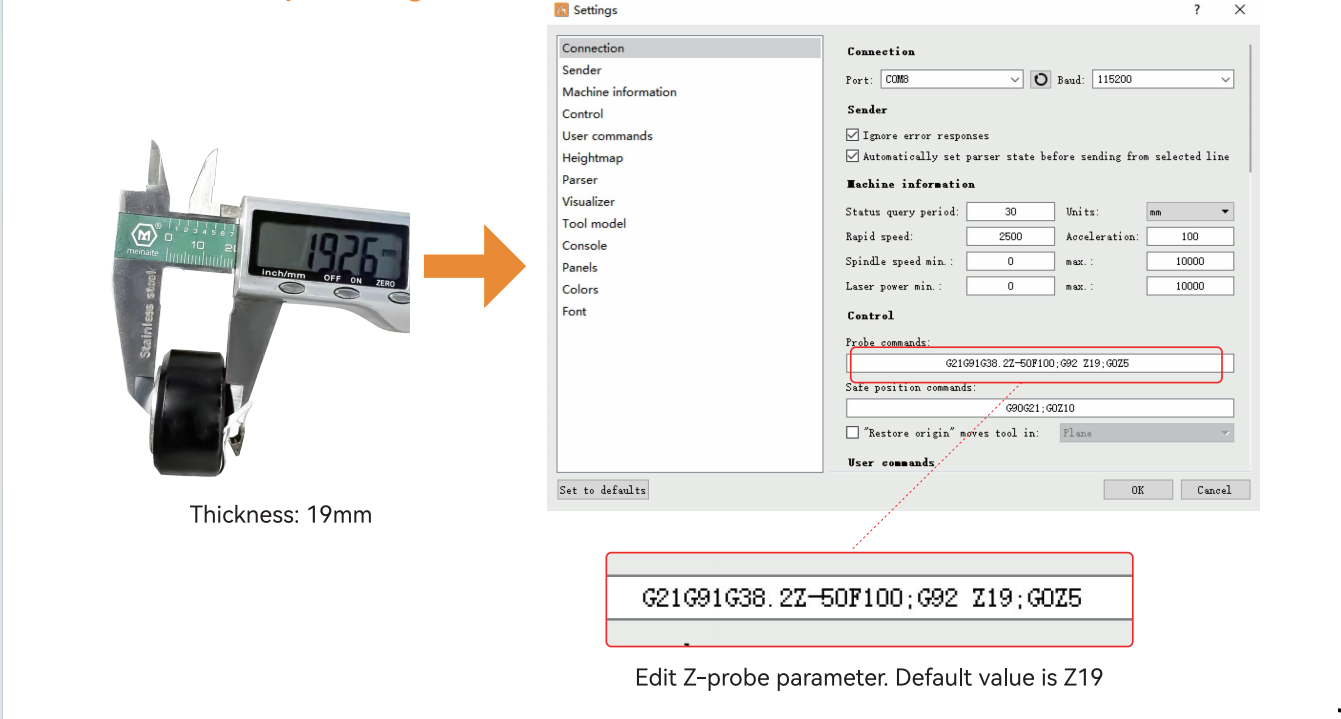
- Open the software and connect to the machine. Set the tool calibration command:
G21 G91 G38.2 Z-50 F55;
G0 Z1;
G38.2 Z-2 F30;
G92 Z19.5;
G0 Z5 F10 M30;
Here, Z19.5 is the thickness of the tool setter. Adjust if calibration is inaccurate.
- Click Z Probe and wait until the tool calibration is finished.